Proxmox Installation
Installation process for Proxmox 8.x.
Overview
Host machine config:
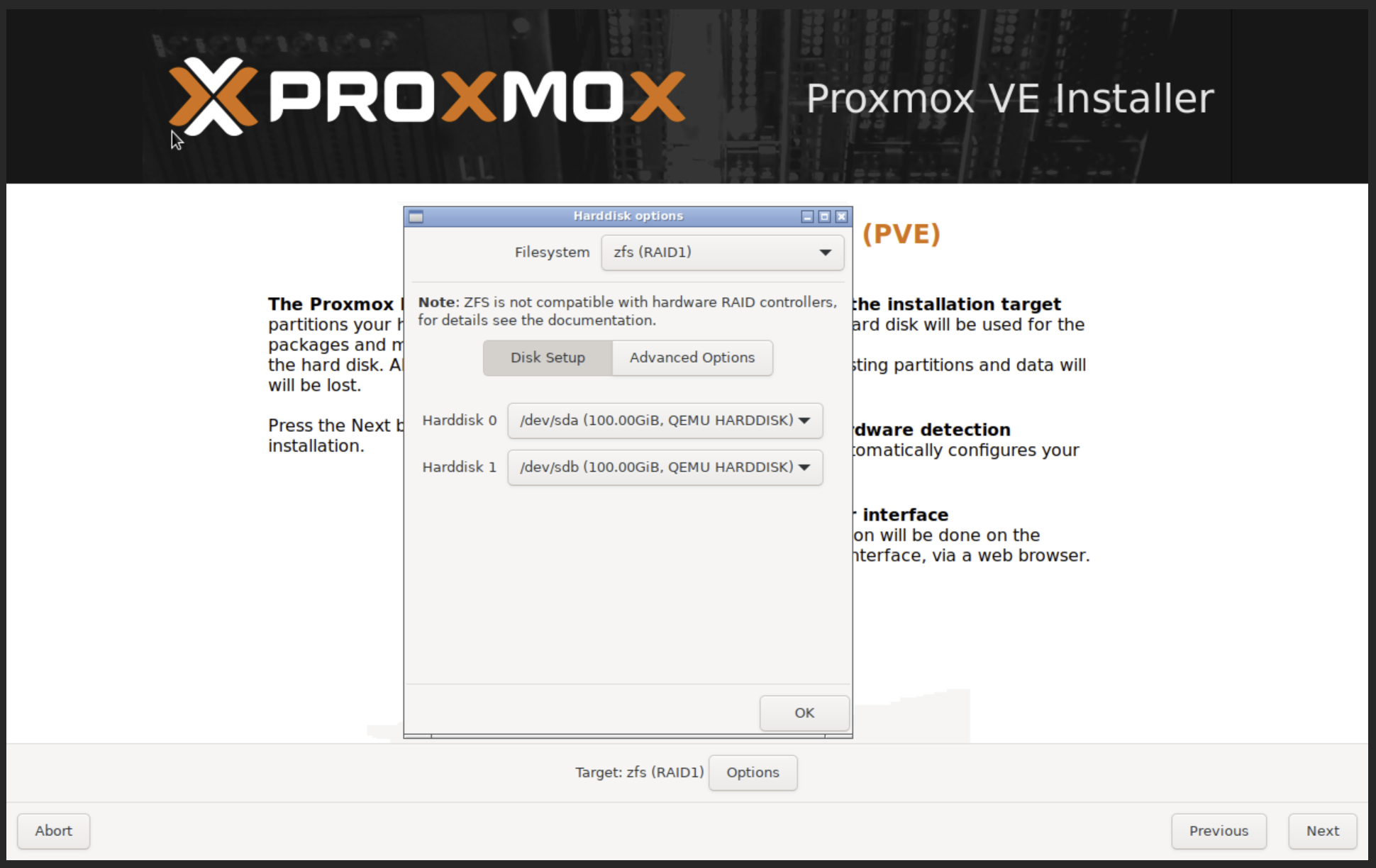
- For primary storage, the host must have 2 x SSD/NVMe of same size to host all CT/VMs.
- Recommended to have 2 x HDD of same size for storing local backups.
- Recommendation is to have 1:4 ratio of SSD:HDD, eg. 2 x 1TB NVMe for primary store and 2 x 4TB HDD for backup store.
- All disks will have
zfs RAID1to protect against disk failures. Eg. 2 x 1TB NVMe in zfs RAID1 set and 2 x 4TB SATA in another zfs RAID1 set. - zfs is the preferred filesystem for local storage as it offer the best storage features like snapshots, clone, replication, data protection, performance, etc.
Installation Steps
Step 1: Start the Installer
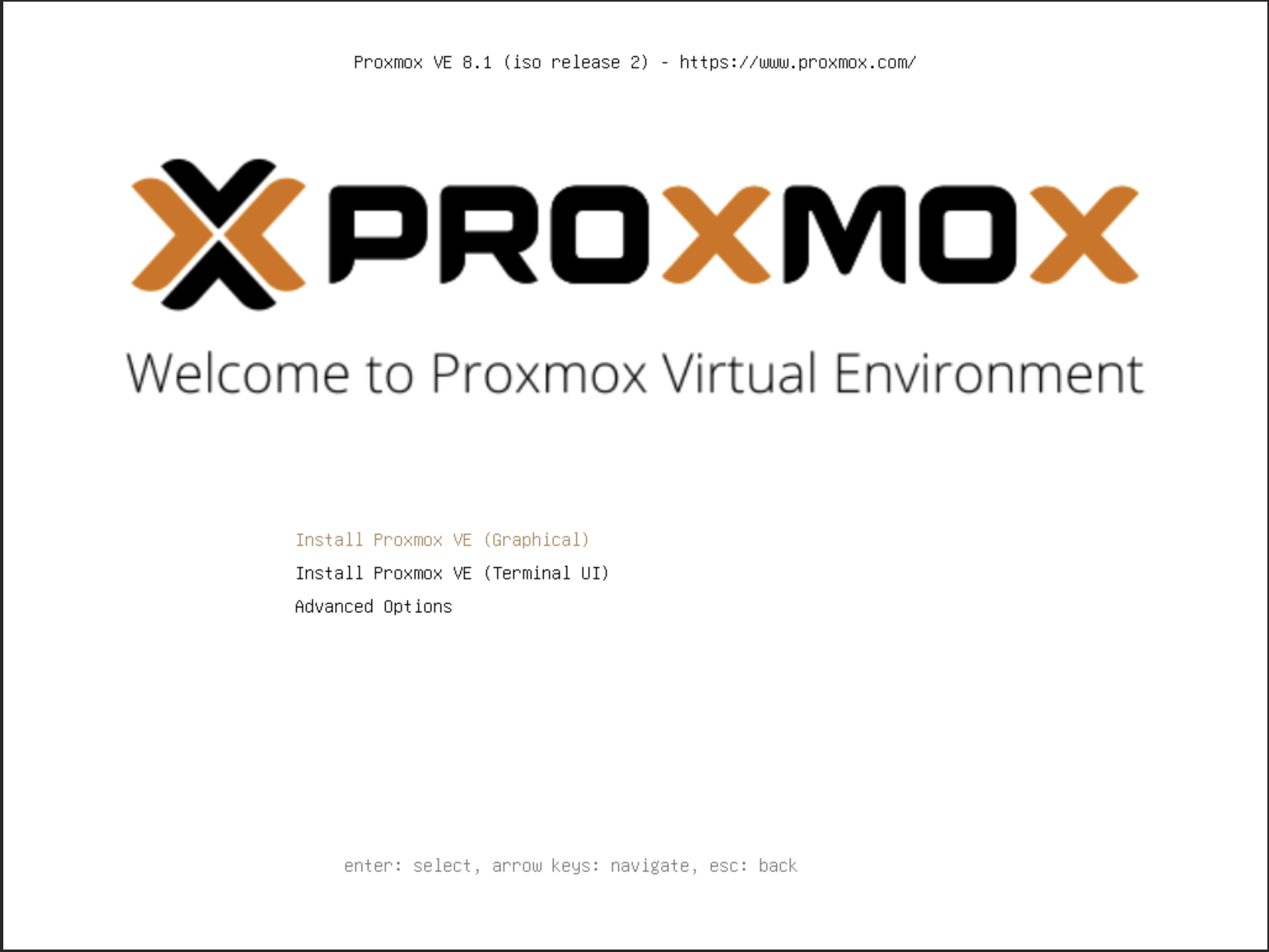
Step 2: Setup zfs RAID1 on NVMe/SSD disks
Note:
- Using zfs RAID1 is recommended to protect against disk failures.
- Even for single disk test setups, using ZFS as the filesystem is recommended as snapshots, clones, replication, etc are all possible only when using ZFS as the data store.
See:
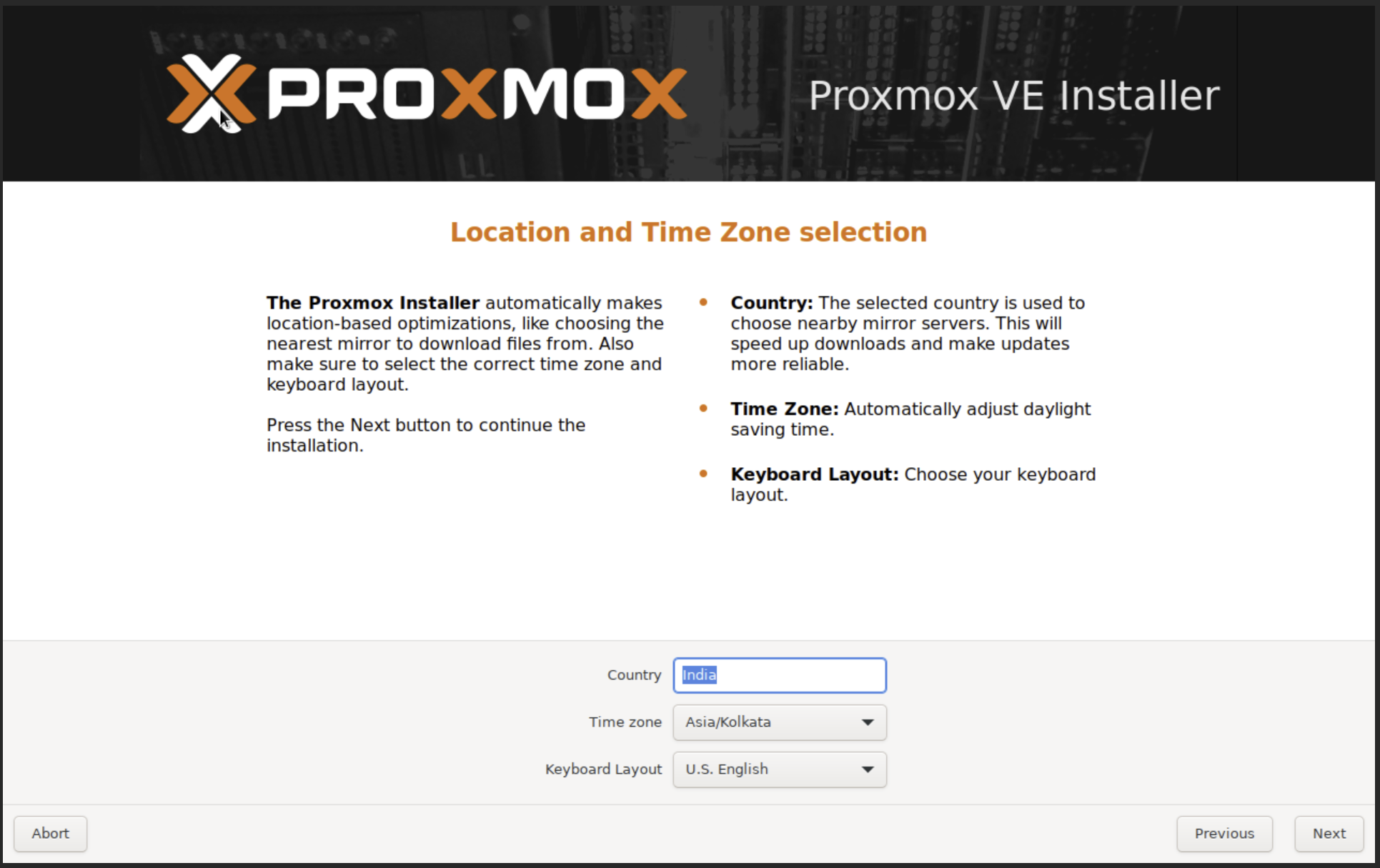
Step 3: Time Zone Config
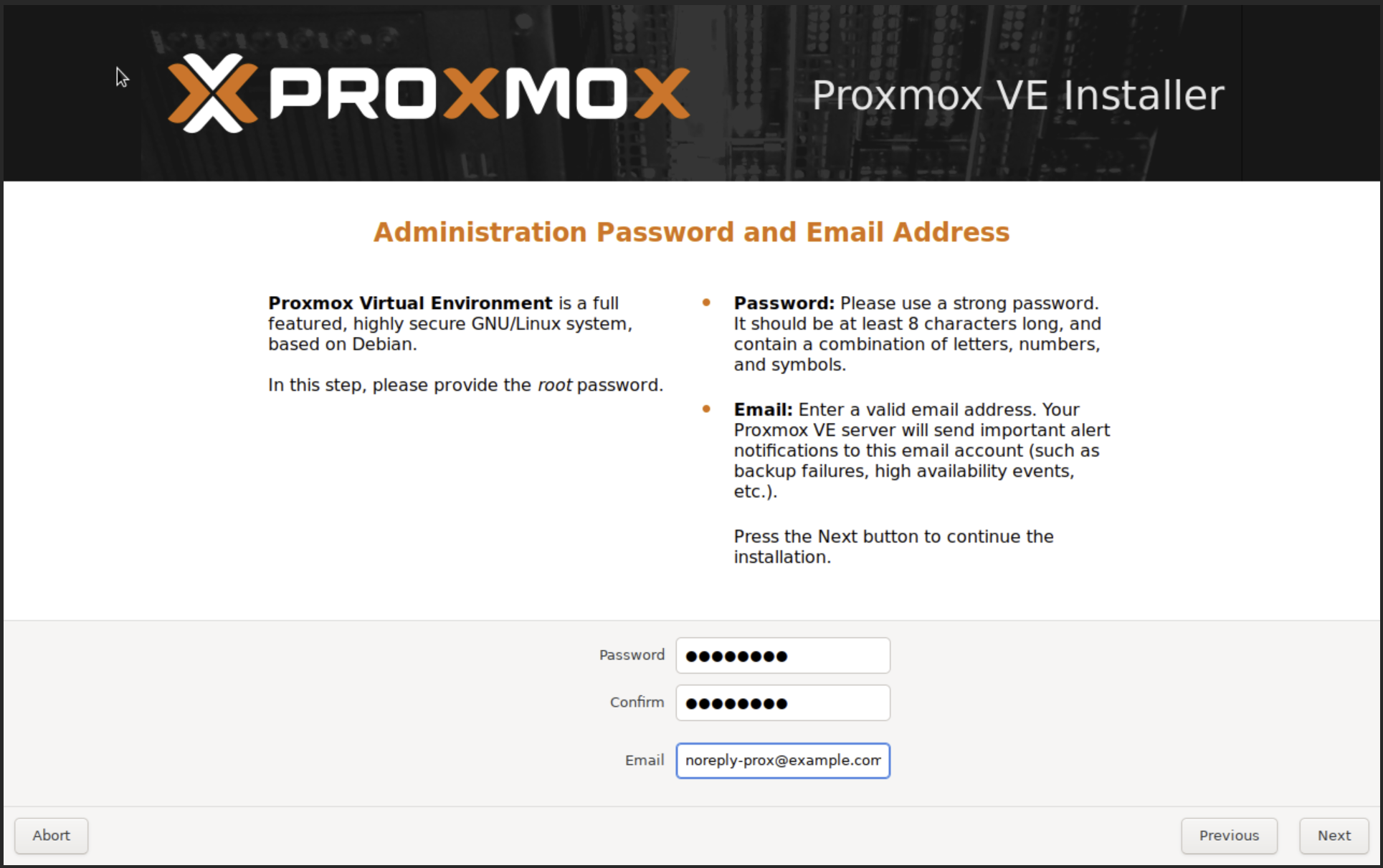
Step 4: Administrator Password and Email Address
Note:
- This email will be used by default for sending email alerts can be later changed in the
Datacenter/Optionstab.
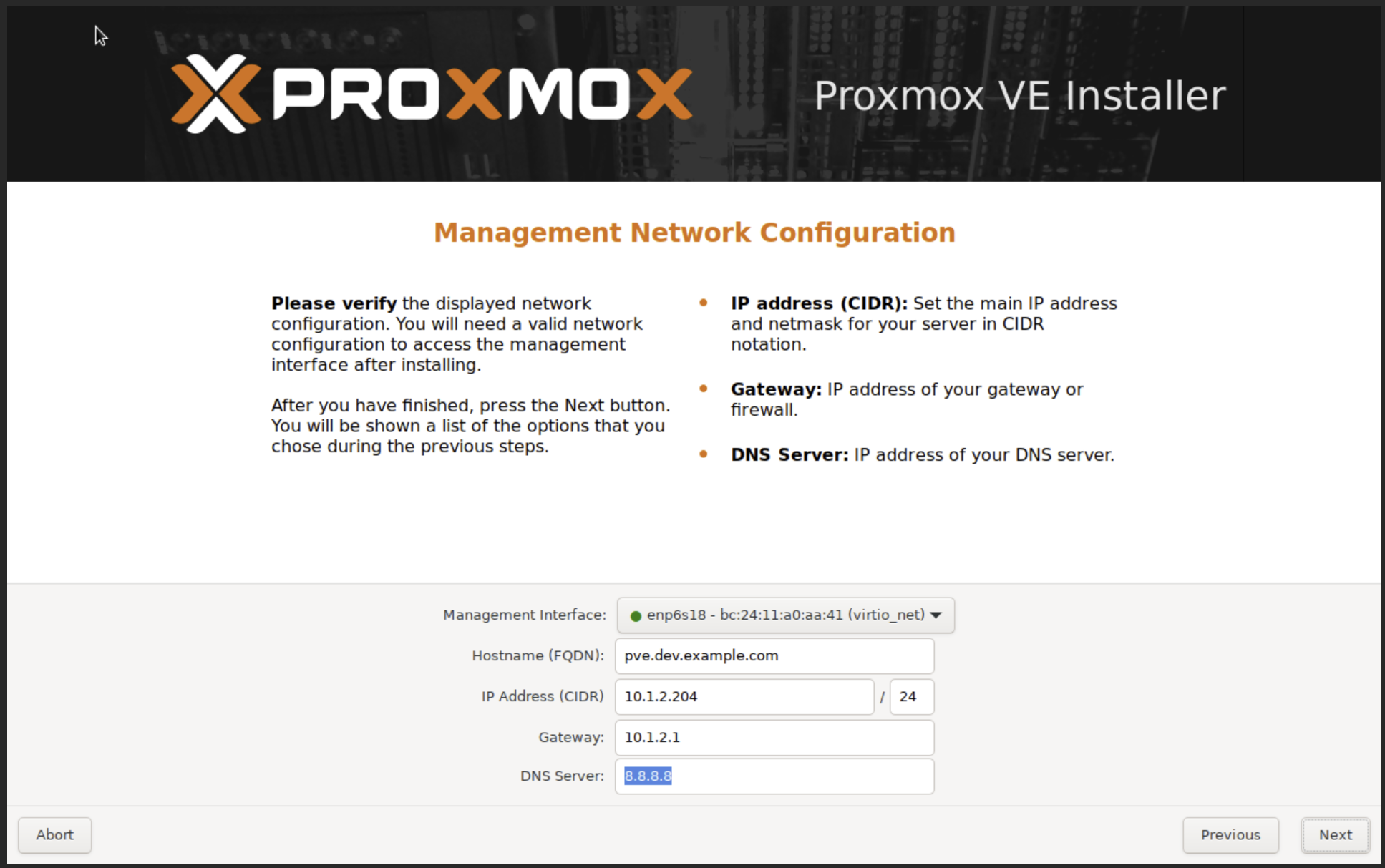
Step 5: Management Network Configuration
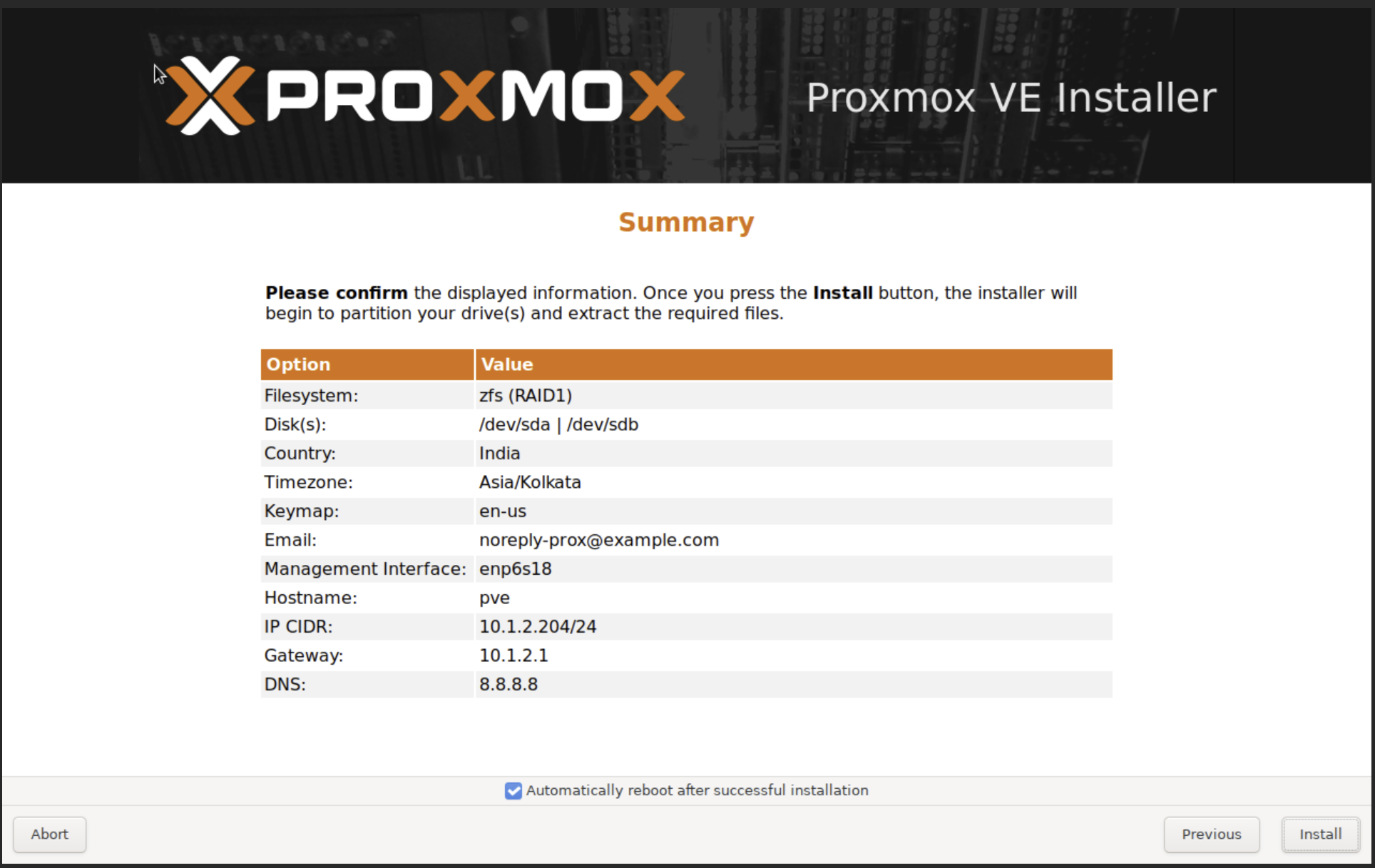
Step 6: Summary
References
- Proxmox full course https://www.youtube.com/playlist?list=PLT98CRl2KxKHnlbYhtABg6cF50bYa8Ulo